Using AI for SEE Revision for Better Results
Introduction
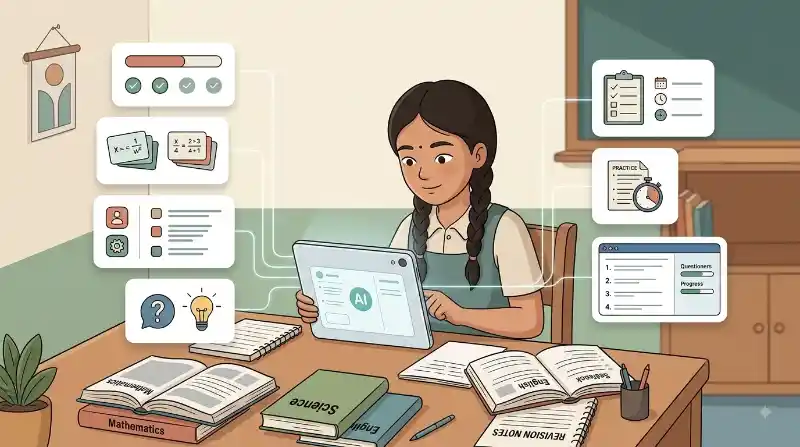
SEE revision can feel difficult when several subjects, chapters, formulas, definitions, and past questions all need attention at the same time. AI can help make that revision more organized. It can explain a confusing topic, create practice questions, test what you remember, and help you decide what to revise next. But there is one important rule: do not use AI to avoid studying. Use it to make yourself study more actively.
Use AI to Understand Topics You Find Difficult
When a textbook explanation feels confusing, AI can explain the same idea in simpler words. For example, instead of asking:
“Give me the answer to this physics question.”
try:
“Explain this physics concept in simple steps. Give me one example, then ask me a question to check if I understand it.”
For Mathematics, you can ask AI to explain one step at a time instead of revealing the complete solution immediately.
You can also say:
“Do not give me the final answer. Give me a hint first.”
This keeps your brain doing the important work.
Turn Your Notes Into Practice Questions
Reading the same notes again and again can make information feel familiar without proving that you can remember it. A better revision method is to test yourself.
You can give AI a topic from your SEE syllabus and ask:
“Create 10 practice questions about acids, bases, and salts. Do not show the answers until I reply.”
After answering, ask:
“Check my answers. Explain only the questions I got wrong.”
This is useful because research on learning consistently shows that retrieval practice—trying to remember information without looking at the answer—can improve long-term learning. AI makes it easier to create new questions, but students should compare important questions and answers with textbooks, teachers, official materials, and the curriculum.
Practice With SEE-Style Questions
AI becomes more useful when you give it the right material. The official SEE website provides previous examination questions, while Nepal’s Curriculum Development Centre provides Grade 10 specification grids and model-question materials for different subjects. You can use these to understand the real exam pattern.
For example, take a past Science question and ask AI:
“Create three new questions that test the same skill as this question, but use different examples.”
For English, you might ask:
“Give me another reading passage with questions similar in difficulty to this one.”
For Mathematics:
“Create three problems similar to this SEE question. Give them one at a time.”
AI should support official study materials, not replace them.
Find Your Weak Areas Instead of Revising Everything Equally
Students often spend too much time revising topics they already know. AI can help identify where more practice is needed.
Try:
“Quiz me on 15 topics from this chapter. Ask one question at a time. At the end, tell me which topics I should revise again.”
You can then divide topics into:
- Strong: I can answer without help.
- Needs practice: I understand but make mistakes.
- Weak: I cannot explain or solve it yet.
Spend more revision time on the last two groups. Repeat difficult topics again after a day or several days instead of trying to learn everything in one long session. Research on spacing and retrieval practice supports spreading revision across time rather than relying only on last-minute cramming.
Use AI as a Tutor, Not an Answer Machine
AI can still make mistakes. It may give a wrong fact, incorrect calculation, poor translation, or answer that does not match the SEE curriculum.
Use this simple revision cycle:
Study → Answer yourself → Ask AI for feedback → Check the source → Try again
For important facts, formulas, definitions, and exam formats, check:
- Your textbook
- Teacher’s notes
- CDC materials
- Official SEE questions
- Your teacher
Avoid copying AI-generated answers directly into homework or revision notes without understanding them.
A good test is simple:
After closing the AI tool, can you explain the answer yourself?
If not, you have not finished studying yet.
Conclusion
AI can make SEE revision more useful when it helps students practice, think, explain, and find weaknesses. Use it to create questions, understand difficult lessons, plan revision, and get feedback. Then check important information against reliable school and official materials. The goal is not to make AI better at answering SEE questions. The goal is to make you better at answering them.
Related Sources
- https://see.gov.np/pages/question-2/ (Office of the Controller of Examinations, National Examinations Board, Nepal)
- https://www.vertechacademy.com/blog/best-ai-exam-prep-tools (vertechacademy.com)
- https://www.gostudent.org/en-gb/blog/the-best-ai-tools-for-revision (gostudent.org)
- [PDF] https://doi.org/10.1038/s41598-025-97652-6
Frequently Asked Questions
Yes. AI can help explain lessons, generate practice questions, quiz you, and organize revision. It should be used alongside textbooks, teachers, official questions, and the SEE syllabus.
You can use AI to explain a question after you attempt it yourself. For stronger revision, ask for hints or feedback before asking for the full solution.
Yes. Always check important information, calculations, definitions, and exam-related details using reliable learning materials or your teacher.