Canva AI for Schools: Creating Lessons, Posters, and Presentations
Introduction
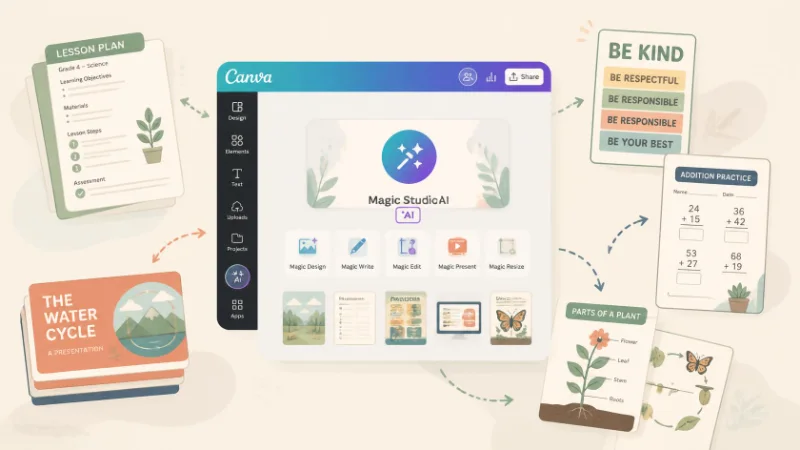
Teachers often need to turn the same lesson idea into several materials: a lesson plan, presentation slides, a classroom poster, or an activity for students. Canva AI can help speed up parts of that process. Canva for Education includes AI-assisted writing, design, image, and presentation tools alongside templates made for classrooms. Eligible K–12 teachers and students can access Canva Education through the education program.
The important idea is simple: AI can help create the first version. The teacher still decides what is accurate, useful, and appropriate for the class.
Turn a Lesson Idea Into a Starting Draft
Teachers often know what they want students to learn but still need time to turn that goal into activities and materials. Canva’s Magic Write can help generate a starting draft from a prompt. Canva currently describes it as a tool teachers can use for lesson planning, brainstorming activities, summarizing text, and adapting content.
For example, a teacher could write:
“Create a Grade 6 lesson outline about the water cycle with a learning objective, short activity, and five review questions.”
The result should be treated as a draft, not a finished lesson. The teacher should check the facts, difficulty level, curriculum fit, and instructions before using it.
Build Presentation Slides From a Topic
After planning the lesson, the same topic may need to become a presentation. Canva’s AI presentation tools can generate a first set of slides from a written prompt. Teachers can then edit the wording, change images, remove unnecessary slides, and add their own examples.
For example:
“Create a simple presentation about renewable energy for Grade 7 students. Include solar, wind, and hydropower with one example for each.”
A teacher in Nepal could then add locally relevant examples where appropriate, simplify difficult language, and make sure every slide supports the actual lesson objective. AI helps with the starting layout. Good teaching still decides what belongs on the slides.
Create Classroom Posters and Visual Materials
Not every classroom topic needs a full presentation. Sometimes one clear visual is enough.
Teachers can use Canva templates and AI-assisted design features to make:
- Classroom rules
- Science diagrams
- Vocabulary posters
- Event notices
- Reading reminders
- Project instructions
- Infographics
- Revision sheets
Canva Education currently provides templates for materials such as lesson plans, worksheets, classroom posters, and presentations, along with AI-assisted image and editing tools.
For example, a teacher could create a poster titled “Five Ways to Save Water”, then adjust the language and images for the age group.
A useful poster should make information clearer—not simply look attractive.
Let Students Create, Not Just Look
Canva can also be used for student work.
Instead of always asking students to submit written answers, teachers might ask them to create:
- A history timeline
- A science poster
- A short presentation
- An infographic
- A visual book report
This gives students another way to organize and communicate what they have learned.
A 2025 meta-analysis of 22 studies examining Canva as an instructional tool reported generally positive effects on academic performance, while also noting limitations in the quality of some of the available studies.
The learning goal should remain clear: students should understand and explain the topic, not simply produce a polished design.
Always Review AI-Generated Classroom Content
AI can make preparation faster, but it can also produce mistakes, weak explanations, inappropriate images, or content that does not match the class level.
Before using AI-generated materials, teachers should check:
Accuracy: Are the facts correct?
Level: Is the language right for the students?
Purpose: Does this actually support the lesson objective?
Context: Are examples appropriate for the class and community?
Original thinking: Are students still doing meaningful thinking themselves?
Canva should therefore be used as a creation assistant, not as the person deciding what should be taught.
Conclusion
Canva AI can help schools turn one teaching idea into several useful formats. A lesson idea can become a draft plan, a presentation, a poster, or a student activity without starting from a blank page every time. The strongest approach is simple: let AI speed up the creation process, then let the teacher improve, verify, and teach the final material.
Related Sources
- https://www.canva.com/education/teachers/ (Canva)
- https://www.canva.com/newsroom/news/canva-education-ai/ (Canva)
- https://www.canva.com/create/ai-presentations/ (Canva)
Frequently Asked Questions
Yes. Canva currently offers AI-assisted tools such as Magic Write that can generate starting drafts for lesson plans, activities, and classroom content. Teachers should review and adapt the results before using them.
Yes. Canva’s AI presentation tools can generate a draft slide deck from a prompt, which teachers can then edit and personalize.
Canva Education is available to eligible K–12 teachers, students, schools, and districts. Student access is generally managed through teachers or the school.