NotebookLM for Teachers and Students: A Smarter Way to Study Documents
Introduction
Teachers and students often work with many documents: textbooks, PDFs, class notes, research papers, presentations, and handouts. The difficult part is not always finding information. Sometimes it is finding the important information inside everything you already have. NotebookLM is designed for this type of work. You add selected study materials to a notebook, then use AI to ask questions, summarize ideas, compare sources, and create study resources based on those materials.
Start With the Documents You Actually Need to Study
The main idea behind NotebookLM is simple: your sources come first.
A teacher could create a notebook for one chapter or unit and add selected readings, lesson notes, slides, websites, or other approved resources.
A student could create a notebook containing class notes, a PDF reading, and study materials for an upcoming exam.
Instead of searching the whole internet for every question, the user can then explore the material collected inside that notebook.
This makes NotebookLM especially useful when the goal is to understand a specific set of documents rather than research an unlimited topic.
Ask Questions Instead of Searching Page by Page
Imagine you have a 40-page document and want to find three important ideas.
Normally, you may need to search through several pages.
With NotebookLM, you can ask questions such as:
- “What are the five main ideas in these documents?”
- “Explain this topic in simpler language.”
- “What does the author say about climate change?”
- “Compare the arguments in these two readings.”
NotebookLM’s answers are connected back to the source material with citations, which helps users locate the relevant parts of the original documents. That is important because students should still check the original source, not simply accept an AI answer.
Turn Documents Into Study Materials
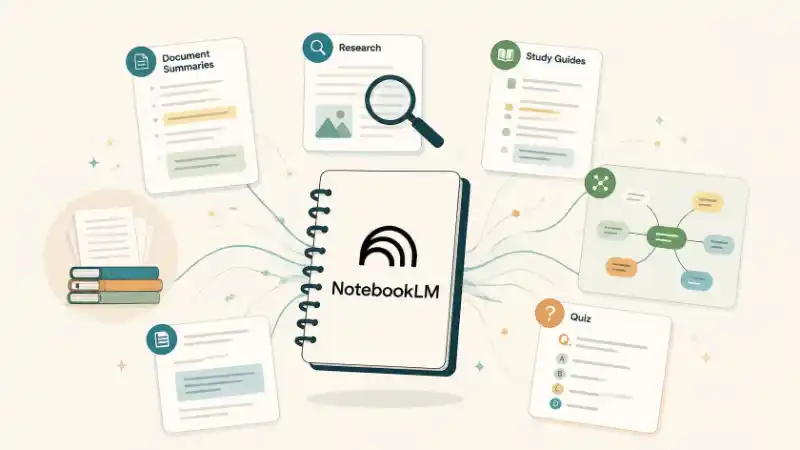
NotebookLM can also change the same source material into different study formats. Depending on the available features, users can create materials such as:
- Study guides
- Summaries
- Flashcards
- Practice quizzes
- Frequently asked questions
- Mind maps
- Briefing documents
For example, a science teacher could add several readings about ecosystems and generate practice questions from those materials.
A student preparing for an exam could upload permitted notes and ask for flashcards containing the important terms.
The advantage is not that AI replaces studying. It helps reorganize the material so students can study it in another way.
Listen to Your Documents With Audio Overviews
Not everyone wants to study only by reading.
One of NotebookLM’s well-known features is Audio Overviews, which can turn source material into an AI-generated discussion that sounds similar to a podcast.
A teacher could create an audio review from selected class materials. Students could listen to it before returning to the original reading.
This may be useful when reviewing a topic, revisiting difficult material, or giving learners another way to engage with information.
However, the audio is AI-generated. It should be treated as a study aid, not as a replacement for the original document or the teacher’s explanation.
A Simple Classroom Example
Imagine a teacher is preparing a unit about renewable energy.
The teacher adds:
- A reading about solar energy
- A document about hydropower
- Class presentation slides
- A short research article
Students could then ask:
“What are the main differences between solar and hydropower?”
They could generate a study guide, test themselves with questions, or listen to an overview before a classroom discussion.
For schools in Nepal, the same approach could be used with teacher-selected curriculum materials, readings, reports, or class notes. The important part is that teachers choose appropriate and reliable source materials first.
Use NotebookLM as a Study Assistant, Not the Final Answer
NotebookLM is useful because it keeps attention on selected sources, but it is still an AI system.
Teachers and students should:
- Check the citations.
Go back to the original passage before using important information. - Use reliable source documents.
AI cannot improve a poor or inaccurate source simply because it was uploaded. - Protect private information.
Avoid uploading sensitive student records, personal information, or confidential school documents without appropriate permission and safeguards. - Keep students thinking.
Use summaries and quizzes to support reading and understanding—not to avoid reading and understanding.
The best use of NotebookLM is not “read this so I do not have to.”
It is: “Help me understand this better.”
Conclusion
NotebookLM gives teachers and students a different way to work with documents. Instead of only reading from beginning to end, users can ask questions, create study guides, test themselves, explore connections, and listen to summaries based on selected materials. Used carefully, it can make documents easier to explore while keeping the original sources—and the learner’s own thinking—at the center.
Related Sources
- https://www.techlearning.com/technology/ai/4-ways-to-use-notebooklm-as-a-teacher (techlearning.com)
- [ VIDEO ] https://www.edutopia.org/video/ai-tool-demo-generating-podcasts-with-notebooklm/ (edutopia.org)
- https://www.avid.org/digital-tools/NotebookLM (avid.org)
- https://www.techlearning.com/news/6-new-features-added-to-google-notebooklm (techlearning.com)
Frequently Asked Questions
Can NotebookLM summarize PDFs?
Yes. Users can add supported documents such as PDFs and use NotebookLM to generate summaries and ask questions based on their contents.
Can students use NotebookLM to prepare for exams?
It can help students create study guides, flashcards, quizzes, summaries, and questions from selected study materials. Students should still check the original material and do their own learning.
Can teachers use NotebookLM for classroom materials?
Yes. Teachers can organize selected resources into notebooks and use them as starting points for questions, study materials, summaries, and other learning activities.